


ThemeMate DIY Themes & Widgets
4.614.00 Reviews
App Specs
- Version
- 1.2.5
- Updated On
- License
- Free
- Downloads
- 100,000+
- Developer
- WestPoint Store
- Categories
- Personalization
- Platform
- Android
Screenshots
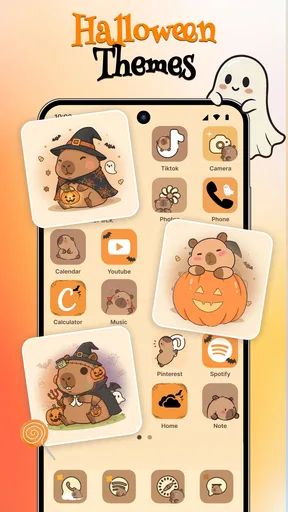
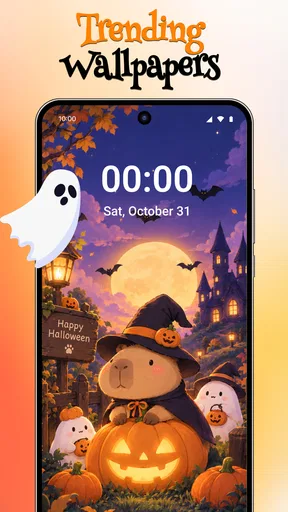
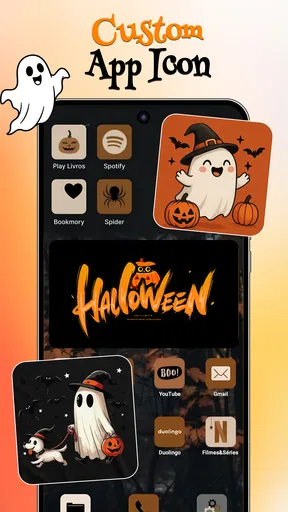
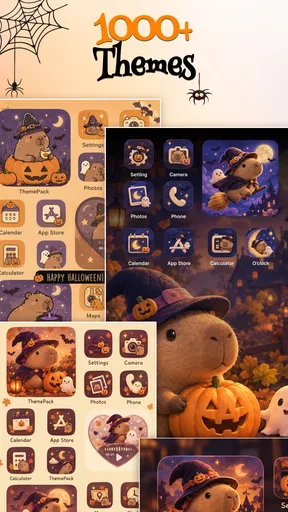
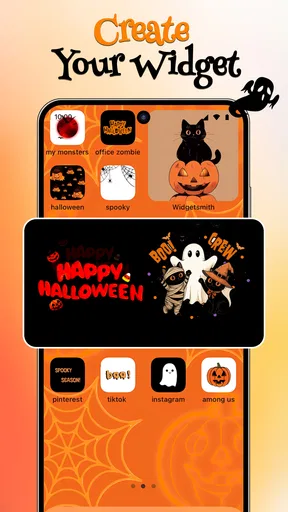
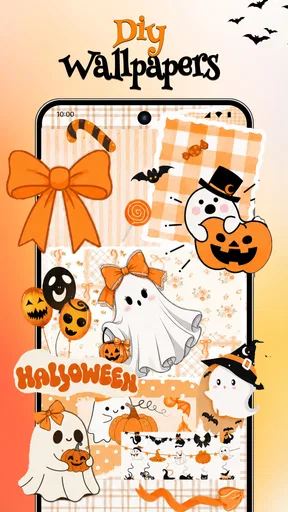
 Analysis by AppCompare
When I try a personalization app, I do not judge it only by how attractive the screenshots look. I also want to know whether the experience feels understandable, whether I can change my mind easily, and whether the app gives me enough control over what I see and use. ThemeMate DIY Themes & Widgets caught my attention because it brings themes, wallpapers, icons, and widgets into one place instead of making me assemble every part separately.
This is a free Android personalization app from WestPoint Store, aimed at people who want to refresh the look of their phone without redesigning everything manually. It has a 4.6 average from around 1.6 thousand ratings and has passed 100 thousand installs, so it is not an obscure experiment with no visible audience. Still, popularity is not the same as trust. My experience with it is best described as visually appealing and convenient, but worth approaching with the same care I would give any app that changes several parts of my home screen.
What the app is really useful for
The main appeal is convenience. Instead of searching separately for a wallpaper, an icon pack, and a widget style, I can begin with a general aesthetic and build around it. That makes ThemeMate especially suitable for a quick weekend refresh, a seasonal change, or a phone that has gradually become cluttered and visually inconsistent.
I found the idea more useful than simply downloading another wallpaper. A background on its own can make a phone look different for a few minutes, but a coordinated screen feels more intentional. Matching icons and widgets can also make it easier to decide which apps belong on the first page and which should move elsewhere. For someone who enjoys a tidy, themed layout but does not want to design every element from scratch, this is the app’s strongest argument.
The store summary highlights aesthetic themes, high-resolution wallpapers, icons, and widgets. In practical terms, that combination gives the app a broader role than a basic wallpaper browser. I would think of it as a starting point for a visual system rather than a complete replacement for the phone’s own launcher or settings.
A realistic example is a person preparing for a new school term or a job change. They may want a calmer home screen, fewer distracting colors, and a widget arrangement that makes daily information easier to scan. ThemeMate can help them make that change in one sitting rather than collecting separate downloads over several days. The result still depends on the phone and launcher, but the app makes the discovery stage less scattered.
Where the personalization feels practical
The most useful workflow is to choose the visual direction first and then resist adding every matching element immediately. I would start with a wallpaper that remains readable behind app labels, check whether the icon style has enough contrast, and only then add widgets. This order matters because a beautiful background can become frustrating if it makes text difficult to read or competes with the information on the screen.
Worth Reading Before You Choose

EA SPORTS FC Mobile 26 Is a Bigger Football Game, but It Takes Time

Flipboard Shows What News Apps Must Do Beyond the Feed

Switching to Android Auto Means Rethinking Your Driving Routine

Google Calendar Makes a Crowded Week Easier to Manage

Ludo King Makes the Most of the Minutes Between Plans

Baby Panda World Brings Quick Play to Modern Phones, but Its Game Library Feels Busy
Another worthwhile approach is to use the app for one home-screen page instead of changing the entire phone at once. That gives me a low-risk test. If the icons feel awkward, the widget takes too much space, or the theme makes frequently used apps harder to recognize, I can undo the experiment without rebuilding my whole layout.
This is also where the “DIY” part of the name matters. I would not expect a single tap to create a perfect personal setup. The app can provide the ingredients and visual direction, but I still need to make decisions about placement, readability, and how much decoration is useful. People who enjoy that small amount of arranging will probably get more from it than users who want an entirely automatic makeover.
What I would check before applying a theme
Before committing to a theme, I would look at the home screen in both bright and dim conditions. A wallpaper that looks soft in a preview may make labels disappear outdoors, while a dark design can be comfortable at night but less clear during the day. This is a simple check, but it prevents the common mistake of choosing appearance over everyday usability.
I would also keep the original layout in mind. If I rely on a particular widget or gesture, changing the visual arrangement should not force me to search for basic functions. The best personalization is not necessarily the most dramatic one; it is the version that still lets me reach my important apps quickly.
There is a less obvious trade-off here: themed icons can improve consistency while reducing instant recognition. I often identify an app by its familiar color or shape before reading its label. If a theme makes every icon look too similar, the screen may appear cleaner but take longer to navigate. For that reason, I would apply decorative changes gradually and keep frequently used apps in familiar positions.
Trust, controls, and moments that deserve attention
Because ThemeMate is a personalization app, I would pay particular attention to the choices shown during setup and when applying content. I prefer apps that make it clear what will happen after I tap an action: whether an item is being previewed, downloaded, applied, or added to the home screen. Clear wording matters more to me than flashy presentation because it lets me stay in control of the phone’s appearance.
The app is free to install, while optional in-app purchases range from a few dollars to under fifteen dollars per item. That makes it important to distinguish between browsing and committing. I would explore the available material first, identify which elements are genuinely useful, and only then consider spending money on a particular item. A free entry point is welcome, but it should not encourage rushed purchases simply because a preview looks polished.
For a personalization app, the sensitive moments are not limited to payment. They include any request related to installing or applying visual elements, changing the home screen, opening system settings, or interacting with the device’s existing launcher. I would read each prompt instead of approving everything automatically. If a request appears unrelated to displaying themes, icons, wallpapers, or widgets, I would pause and investigate before continuing.
I cannot treat a colorful interface as proof that an app is privacy-friendly. My own rule is to review the permission dialog, the system settings page, and any account or purchase screen as separate decisions. A user should know what is being enabled and should be able to decline an optional step without losing access to basic browsing whenever the app allows it.
This is especially relevant on a shared family phone. A child may be attracted to bright themes and tap through prompts quickly, while an adult may later discover unwanted changes or an unexpected purchase screen. The Everyone age rating makes the app broadly approachable, but it does not remove the need for supervision around purchases and device-level changes.
How much control a careful user has
My preferred way to use ThemeMate is conservatively: browse first, preview where possible, apply one category at a time, and check the home screen after every change. That approach gives me a clear path back if something does not work as expected. It also makes it easier to identify whether a problem comes from the wallpaper, an icon treatment, a widget, or the phone’s own interface.
I would keep a record of my previous wallpaper and home-screen arrangement before making a major change. This does not require special tools; a screenshot and a note about the original layout are enough. It is a small but valuable habit because personalization apps can make a phone look better while also encouraging a lot of rearranging. If I later decide the new setup is inconvenient, I want restoration to be simple.
Account controls deserve the same attention as visual controls. If the app offers a sign-in option, I would consider whether I actually need it for the way I plan to use the app. If I only want to browse and apply free visual content, I would avoid creating an account unless a clear benefit justifies it. I would also check purchase confirmations carefully and make sure the device’s own purchase protections are active.
The current version is 1.2.4, and it runs on Android 7.0 or later. That broad compatibility is useful for people with older phones who are not ready to upgrade hardware. At the same time, older Android devices can behave differently when handling widgets, icon changes, and launcher customization. I would therefore treat compatibility as a starting point, not a promise that every visual element will behave identically on every phone.
Everyday strengths and real friction
The strongest everyday benefit is reduced searching. If I want a coordinated look, having the main visual pieces in one app is more comfortable than jumping among unrelated tools. The app is also a good fit for users who enjoy changing their phone’s mood: a muted arrangement for work, a brighter one for personal use, or a clean layout after months of accumulated shortcuts.
The friction comes from the gap between a preview and a working home screen. A theme can look excellent in a promotional image but be less useful once notifications, app labels, widgets, and system elements appear. The phone’s launcher may also limit how icons or widgets behave. I would not blame ThemeMate for every limitation here, but I would keep expectations realistic: the app can supply visual material, while the operating system still controls much of the final result.
Another trade-off is maintenance. A carefully arranged screen may need attention when I install new apps, remove old ones, or change widget sizes. A highly decorative layout can become less coherent over time, especially if new icons do not match the chosen style. If I prefer a setup that takes no maintenance, the default launcher with one good wallpaper may be a better choice.
Compared with a standard wallpaper app, ThemeMate offers a wider design workflow because it brings multiple visual components together. Compared with a launcher-focused customization tool, it appears more approachable for someone who wants to improve the look without replacing the phone’s entire navigation experience. The compromise is that users seeking deep automation, extensive layout rules, or complete launcher control may find a dedicated launcher more suitable.
Who should use it, and who should skip it
I would recommend trying ThemeMate if you like visual organization, enjoy experimenting with your home screen, and want a single place to explore wallpapers, icons, and widgets. It is particularly appealing for someone who has never customized a phone beyond changing the background, because the combined approach provides a gentle route into more deliberate design.
I would be more cautious if you dislike frequent prompts, have very limited storage, or want every change to be reversible without any manual work. I would also skip it if my priority were advanced launcher behavior rather than appearance. In that situation, a dedicated launcher or the phone’s built-in personalization tools could offer more direct control.
People who are sensitive to visual clutter should use restraint. Adding a wallpaper, a full icon treatment, and several widgets at once can make the screen busier rather than calmer. My practical recommendation is to choose one focal element and let the others support it. For example, a detailed wallpaper may need simple widgets, while a bold icon style may work better with a quiet background.
For families, I would explain the difference between free browsing and paid items before handing the phone to a child. I would also review any system prompt together rather than assuming that a theme app should automatically receive every requested capability. That small amount of guidance keeps personalization fun without turning it into an accidental device-management lesson.
My cautious verdict after using it
ThemeMate DIY Themes & Widgets is a convincing option for straightforward visual refreshes, especially when I want coordinated screen elements instead of a single isolated wallpaper. Its free starting point, broad Android compatibility, and mix of themes, icons, high-resolution backgrounds, and widgets make it easy to understand why it has attracted a sizeable audience.
My recommendation comes with a clear condition: use it as a design toolkit, not as an invitation to approve every prompt or buy every attractive item. I would preview carefully, change one component at a time, protect purchase controls, and keep a simple backup of my original layout. Those habits make the experience more predictable and help separate genuine convenience from visual impulse.
For me, the app is at its best when it solves a specific problem: making a phone feel more coherent, giving an old device a fresh mood, or helping a first-time user create a more personal home screen. It is less compelling for people who want deep launcher engineering or a completely maintenance-free setup. If that distinction matches your needs, ThemeMate is worth exploring; if not, the built-in Android tools or a dedicated launcher may be the more honest fit.
WestPoint Store has positioned this as an accessible personalization app, and the Everyone rating supports that broad audience. I would still keep the final decision personal and practical. A theme should make the phone easier or more pleasant to use, not merely more impressive in a preview. Used with that standard, ThemeMate offers enough variety to be useful while leaving the most important choices in my hands.
Pros
- Create custom themes
- icons
- and widgets in one place.
- Large collection of aesthetic styles for different preferences.
- Widget customization helps personalize home-screen layouts.
- Useful previews make it easier to check designs before applying.
- Suitable for users who enjoy frequently refreshing their phone’s look.
Cons
- Some premium designs or features may require a subscription.
- Applying complete themes can take time on certain devices.
- Compatibility may vary across Android launchers and phone models.
- Large image packs can use noticeable storage space.
- Frequent customization may increase battery and resource usage.
FAQs for ThemeMate DIY Themes & Widgets
What is ThemeMate DIY Themes & Widgets?
ThemeMate DIY Themes & Widgets is a customization app designed to help you personalize your phone’s appearance. It typically lets you create or apply themed home screens using wallpapers, icons, widgets, fonts, and matching visual elements. The app is aimed at users who want a coordinated aesthetic without designing every asset from scratch, although available tools and compatibility may vary by device and operating-system version.
Is ThemeMate DIY Themes & Widgets free to use?
ThemeMate can generally be downloaded without an upfront charge, but some themes, design packs, advanced editing tools, or exclusive widgets may require payment or a subscription. Before confirming a purchase, users should check the in-app pricing, renewal terms, and trial conditions shown in their store listing. Free content may be sufficient for basic customization, while premium options usually provide more variety and convenience.
Does ThemeMate work on both Android and iPhone?
Compatibility depends on the version of ThemeMate available for your platform. Android customization apps often provide deeper control over icons, launchers, and widgets, while iOS versions may work within Apple’s restrictions and rely on shortcuts, wallpapers, or supported widget features. Before downloading, check the official Google Play or App Store listing for supported devices, minimum software requirements, and any platform-specific limitations.
Can I create my own themes instead of using ready-made designs?
The app is intended to support do-it-yourself customization, so users can usually combine wallpapers, icons, widgets, colors, and other visual elements to build a personal style. However, the exact editing options may differ between devices and app versions. Some features can also be limited to premium users. It is worth exploring the free editor first to confirm that it offers the level of control you want.
Is ThemeMate safe to install and what permissions does it need?
ThemeMate should be downloaded from a trusted official app store rather than an unofficial APK or third-party website. During setup, review the permissions it requests and allow only those that make sense for its features, such as access to photos when selecting personal images. Also review its privacy policy, advertising behavior, and subscription details. Avoid granting unnecessary access, particularly if the app requests permissions unrelated to customization.


